Wellness Booking System
Company
Service
Goals
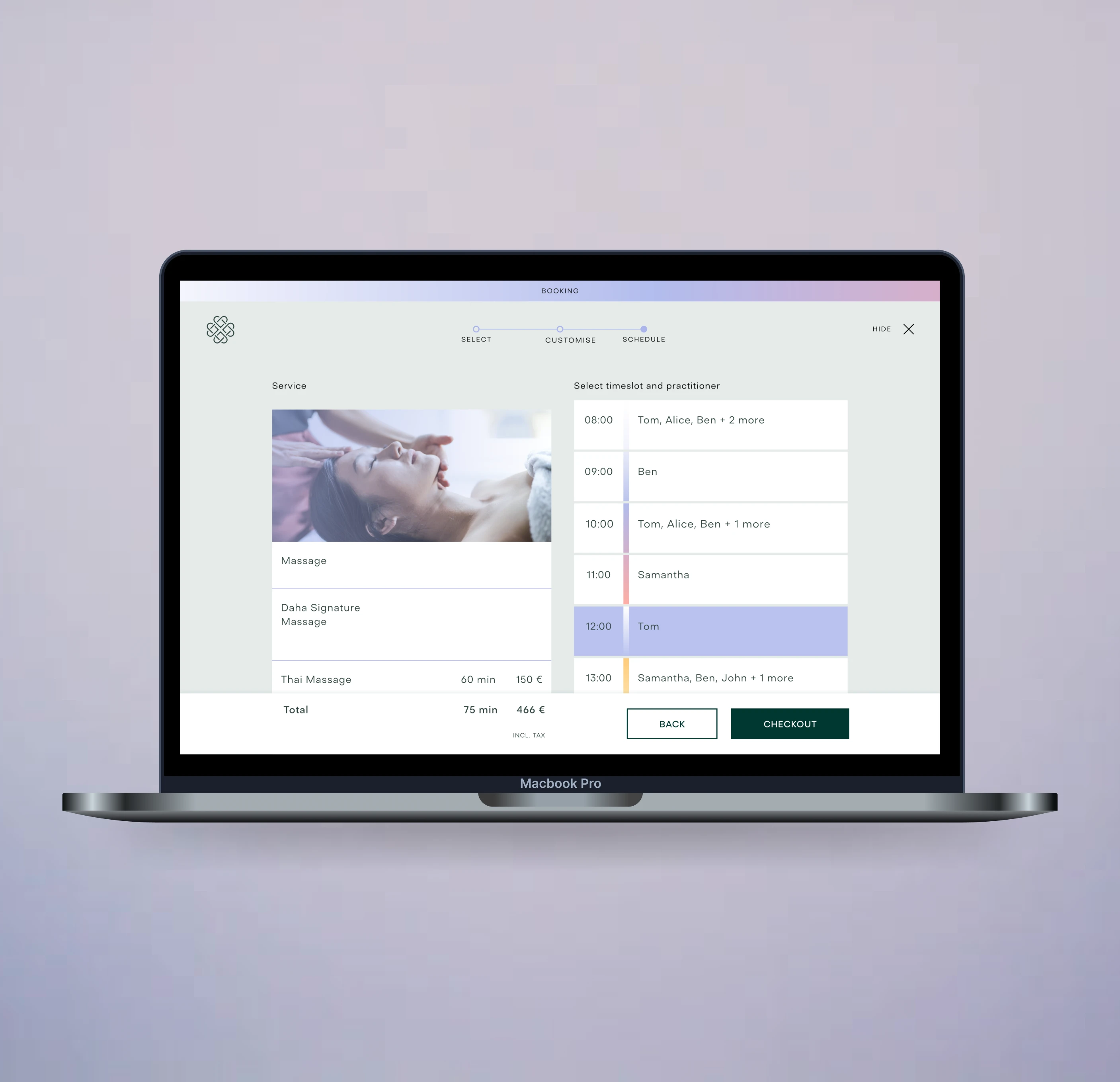
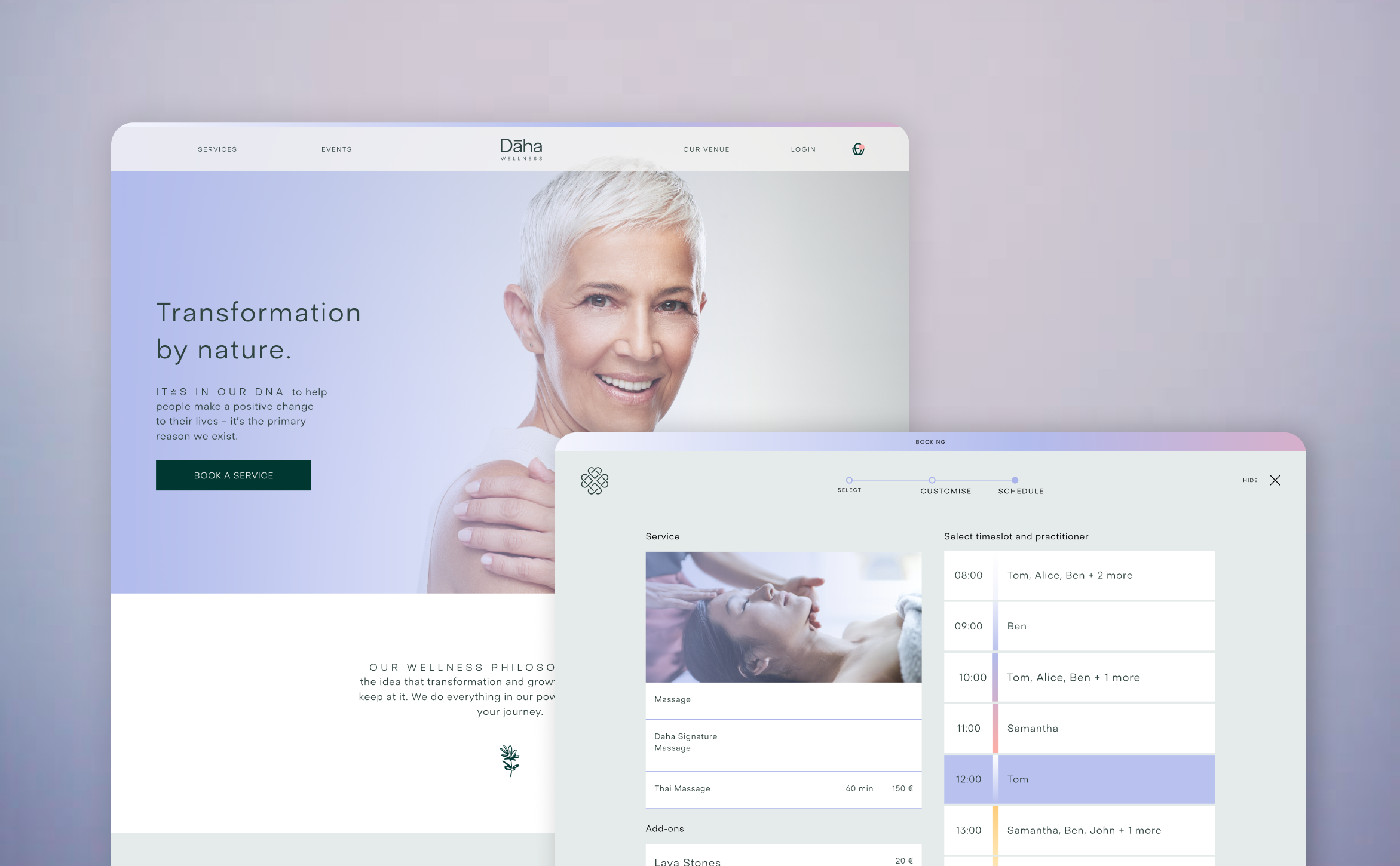
My key goal was involved designing an internal booking flow for managing and scheduling bookings within the application. To ensure the design concepts were functional and user-friendly, I created a detailed prototype of the booking flow. This prototype served as a vital tool for visualizing design concepts and testing functionality prior to full implementation. Throughout the process, I collaborated closely with product developers to ensure that design solutions were aligned with technical constraints, facilitating a seamless integration of design and development efforts.
Process
Analysis and planning
First, I analyzed how the booking system should function from the user's perspective. I identified the main steps a customer needs to go through to complete a reservation.
Key questions I focused on:
- How can I minimize the number of steps in the booking process?
- How can I ensure the process is simple and flexible?
- What backtracking options might users need?
- How can I ensure responsive design for both mobile and desktop users?
Initial Sketch on the Whiteboard
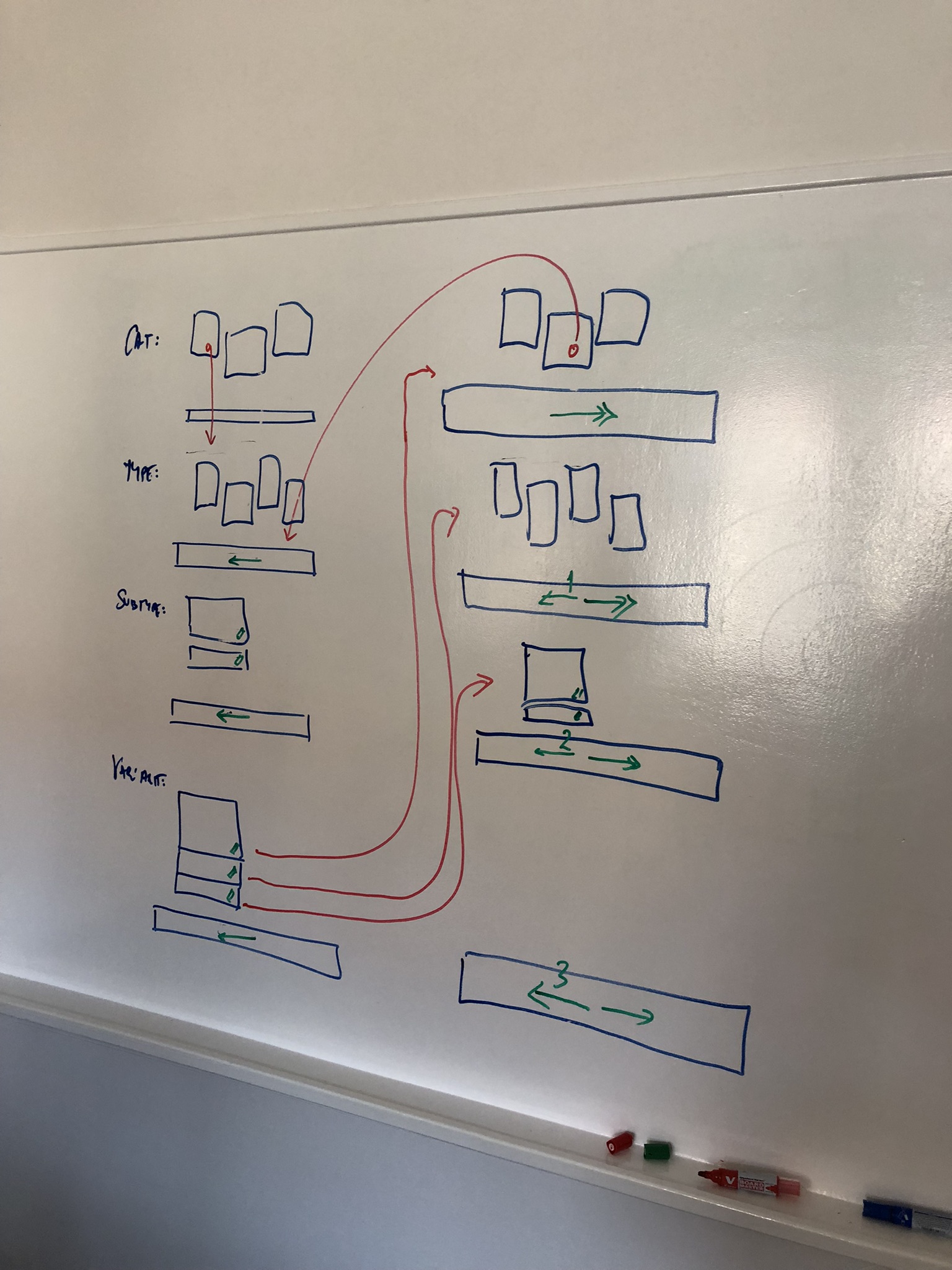
In the early phase, I created a sketch on a whiteboard, mapping out the user flow for the booking process.
This diagram included:
- Main booking process (category selection, service selection, date, confirmation, payment).
- Possible reverse steps (change of category, selection of another date, modification of details).
- Conditions for different scenarios (e.g. minimum time between bookings).
This initial design helped me visualize the interactions and understand where to optimize the user flow.
Redrawing the diagram in Miro
After sketching the initial concept, I created a sequence diagram in Miro, which details the user's interaction with the system.
This diagram includes:
- User actions, such as selecting a category, modifying selections, and confirming reservations
- System responses, including step-by-step guidance through service selection, date selection, and payment
- Editing and cancellation options, ensuring flexibility before finalizing the reservation
- Confirmation notifications via email after the booking is completed
.png)
Responsive Design
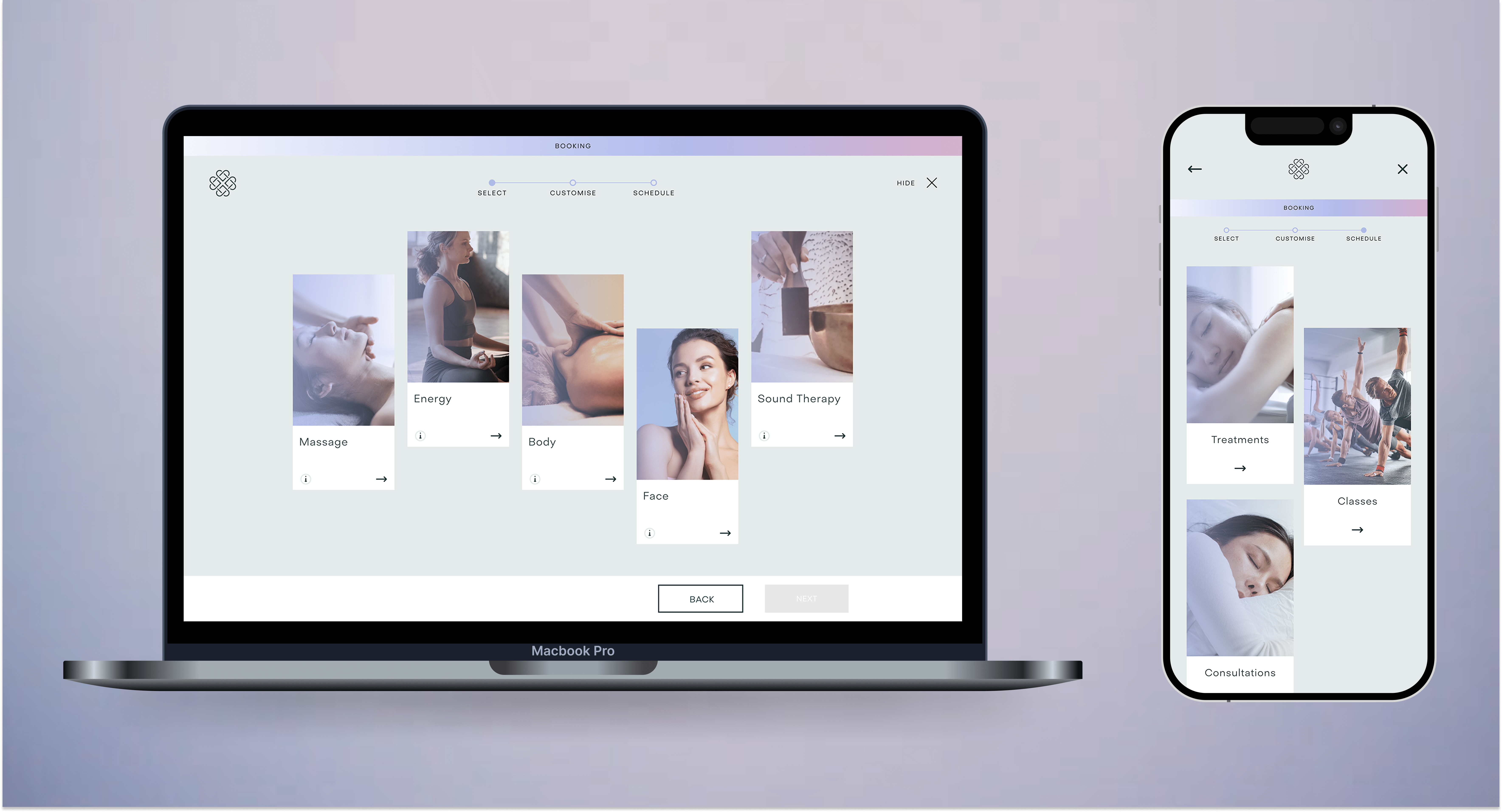
To provide an optimal user experience across different devices, I designed a fully responsive interface for both mobile and desktop.
Desktop Version
- A wide layout displaying all steps clearly.
- Quick switching between different booking stages.
- Detailed service descriptions alongside the selection form.
Mobile Version
- A step-by-step process, displaying one section at a time.
- Touch-friendly interface, with large buttons for easy navigation.
- Minimalist UI, ensuring a clean and distraction-free experience.
I used flexible UI components that dynamically adapt to different screen sizes.
.png)
Prototyping and Testing
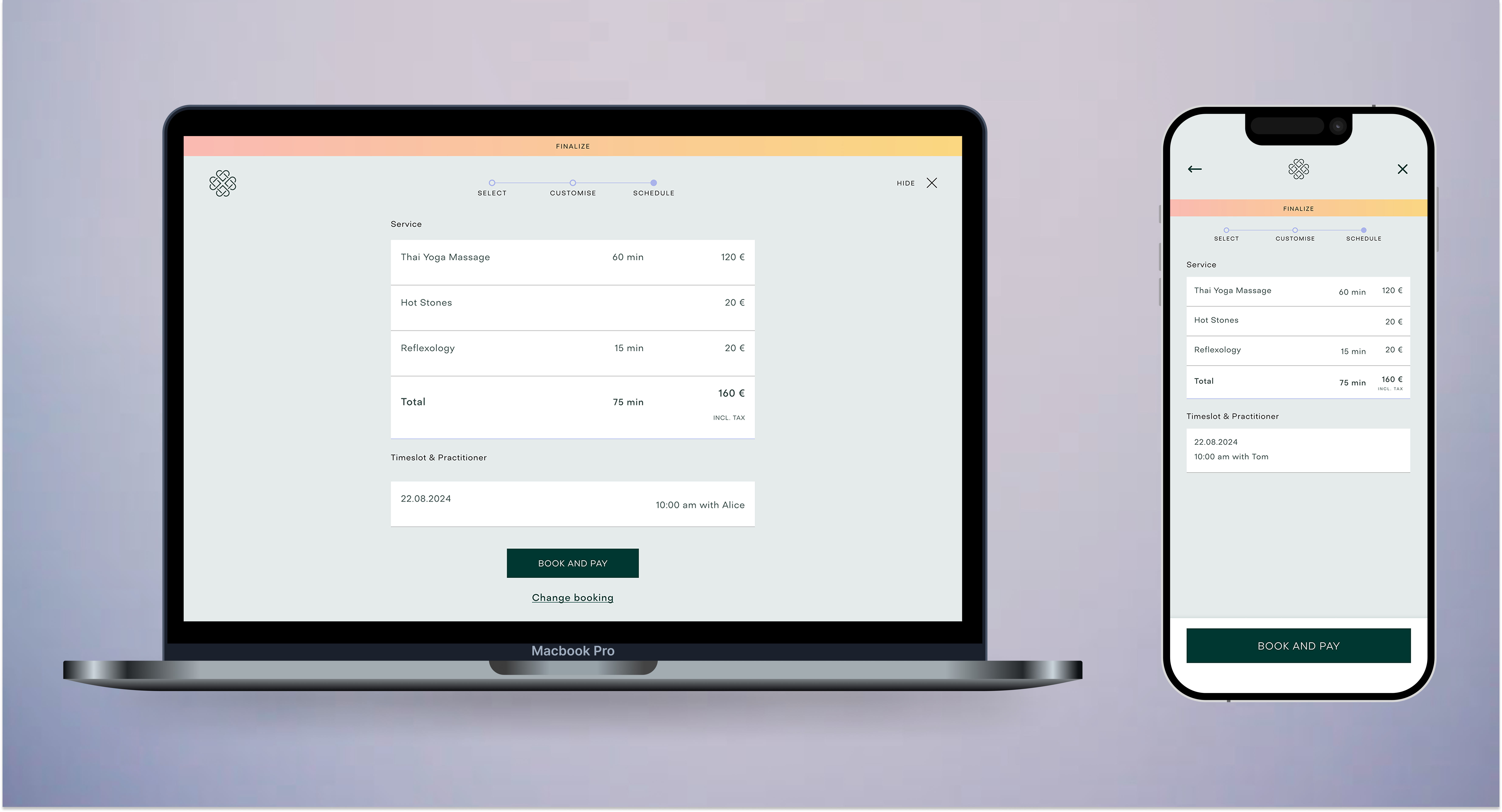
I developed an interactive Figma prototype to validate design decisions before implementation because we wanted to test blind spots and pain points in the booking process.
User testing focused on:
- Navigation clarity – Could users complete bookings with ease?
- Responsiveness – Did the design function well on different devices?
- Conversion optimization – Were key actions clearly highlighted?
Insights from testing led to several refinements, including:
- Repositioning key buttons for improved accessibility
- Reducing cognitive load, and ensuring a frictionless user experience through intuitive input fields
- Enhancing feedback for better user navigation
Final Thoughts
By combining structured planning, responsive design, and continuous refinement, I created a booking system that is intuitive, efficient, and optimized for all devices, meeting both user needs and business goals. The documented process allows for future scalability and seamless improvements, making it adaptable to evolving user expectations.